SCP Facility Experience How to Redeem Codes
Enter promo codes correctly, fix common errors, and stack group plus friend bonuses.
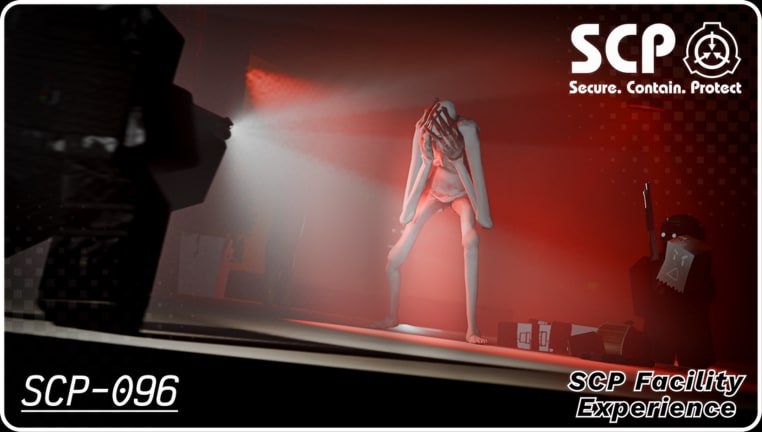
Before you redeem
Promo codes in SCP Facility Experience are free rewards from K.M.T Studio / @yolorexthe_best. They usually grant cash, packs, or seasonal event items. Active strings are listed on the Codes Hub—currently including Halloween codes such as CANDY, JACK-O-STATUE, and HAPPY HALLOWEEN.
Make sure you are in the correct place: SCP Facility Experience on Roblox (PlaceId 78519483226735). Codes for other SCP games will not work here.
Optional prep that maximizes value:
- Join the developer’s Roblox group for the advertised free pack and x1.2 cash bonus.
- Invite a friend into the same server for the friend x1.2 cash multiplier.
- Skim Getting Started so your first session spends rewards wisely.
Step-by-step redeem flow
- Launch the experience from the official Roblox game page. Wait until the facility loads and your character can move.
- Open the main menu / HUD buttons. Look for labels like Codes, Redeem, Rewards, Gift, or a similar icon. Seasonal events (see Halloween Event) may place the entry near event UI.
- Click the codes field so the keyboard (or on-screen keyboard on console) is active.
- Type or paste one code exactly. Example:
JACK-O-STATUEincludes the hyphen;HAPPY HALLOWEENincludes the space. Do not add extra spaces at the ends. - Confirm / Submit. Watch for a success toast, inventory popup, or cash tick-up.
- Verify the reward in inventory, currency display, or event progress before entering the next code.
- Repeat for every active code on the Codes Hub.
If the UI is hard to find on your device, check whether a tutorial popup is blocking clicks, or whether you need to leave a cutscene / death screen first.
PC vs console notes
On PC, paste usually works with Ctrl+V after copying from this wiki. On console, you may need the on-screen keyboard and careful spacing for HAPPY HALLOWEEN. Use the same interact / menu close bindings you already know from the Controls guide (X / B to close menus on many layouts).
Night vision, SCRAMBLE, and combat binds do not affect redeeming—but closing the codes panel with the wrong button can cancel an unsubmitted string. Always submit before backing out.
Troubleshooting failed codes
| Symptom | Likely cause | What to try |
|---|---|---|
| Invalid / wrong code | Typo, missing hyphen/space, wrong game | Re-copy from Codes Hub; verify PlaceId |
| Already redeemed | One-time code per account | Skip; try the next active code |
| Expired | Event ended (Halloween window ~Nov 9 mentioned in-game) | Check Updates for replacements |
| Nothing happens | UI desync / lag | Rejoin server, redeem again once |
| Can’t find Codes button | Menu buried / event UI changed | Rejoin, check all HUD tabs, ask in group |
| Works for friends only | Region/cache delay after patch | Wait a few minutes; restart Roblox |
Still stuck? Use the in-game Feedback button or the Roblox group to report a broken drop. Do not share account passwords with anyone offering to “redeem for you.”
Stacking free value the smart way
Order of operations for a fresh account:
- Join the group → claim free pack / group multiplier.
- Redeem all active codes.
- Enter with a friend for the co-op cash boost.
- Spend early cash on survival essentials before deep exploration.
- Learn breach basics in Survive a Containment Breach so rewards are not wasted on repeated deaths.
Codes are not a substitute for map knowledge. Knowing when to blink near SCP-173, when to use Night Vision (N / D-Pad Up), and when to fall back during blackouts matters more than a single cash grant.
Event codes vs evergreen codes
Halloween strings are time-boxed. The game description has called out an event window through roughly November 9. Treat CANDY, JACK-O-STATUE, and HAPPY HALLOWEEN as high priority. After the event, this guide stays useful for whatever evergreen or patch codes K.M.T Studio publishes next—always cross-check the live table on the Codes Hub.
During the event, also complete candy-door and Mr. Yolo style objectives covered in the Halloween event guide so code rewards and exclusive drops reinforce each other.
What codes will never ask for
Legitimate redeem flows never require:
- Your Roblox password or email 2FA codes
- Browser extensions that “auto claim” everything
- Paying a middleman in Robux for a free promo string
- Disabling account security
If a site claims it needs those, leave immediately. For executor-related risks (a separate topic), read Scripts carefully.
After you redeem
- Update your personal checklist on the Tools Hub.
- Continue the day-one loop in Getting Started.
- Skim Updates so you know when Yolorex ships the next string.
- Explore roles: survivors vs SCP-035 and SCP-049-2.
Redeeming takes under a minute when the UI cooperates. Doing it every patch keeps your facility runs funded without spending Robux.
Frequently Asked Questions
Quick answers for SCP Facility Experience players.
Do I need to redeem codes every time I join?
No. Most promo codes are one-time per Roblox account. After a successful redeem, you will not get the same code again.
Why does HAPPY HALLOWEEN fail when I type it?
Include the space between the words, avoid extra spaces, and submit only that code. Copy-paste from the Codes Hub when possible.
Can console players redeem codes?
Yes, if the Codes UI is available on your platform build. Use the on-screen keyboard and watch hyphen/spacing carefully.
Should I redeem before or after joining the group?
Join the group first when you want the free pack and group cash multiplier, then redeem codes, then play with a friend for the co-op bonus.
Where do I report a broken code?
Use the in-game Feedback button or contact the developers through the Roblox group. Do not share your password with third parties.